
 prerelease · coming soon
Your models. Your machine. Your bots.
Bouncer runs open models on your own computer. Chat with them, let Bouncer Code work in your folders, and make Rebound agents with their own names and faces.
the surfaces
One app, four ways to work.
Everything runs on your machine with llama.cpp. Models come from Hugging Face, and nothing you type or open leaves the computer.
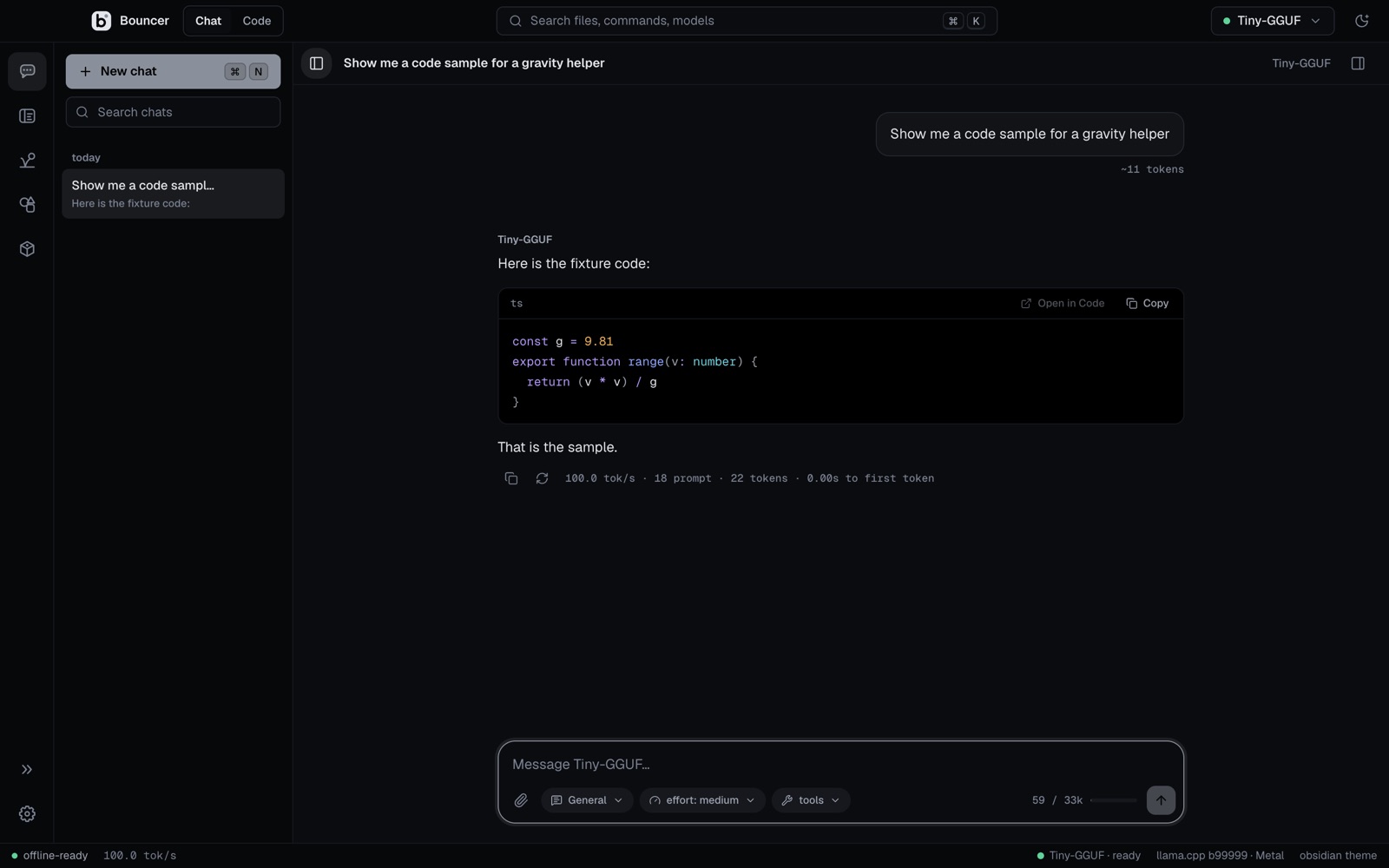
bouncer chat
Fast, private chat with your models.
Stream replies at full speed, expand the reasoning, and branch a conversation when you want a different answer.
- effort levels from low to max
- presets, system prompts and slash commands like /model and /effort
- file, folder and image attachments, with full-text search over every chat
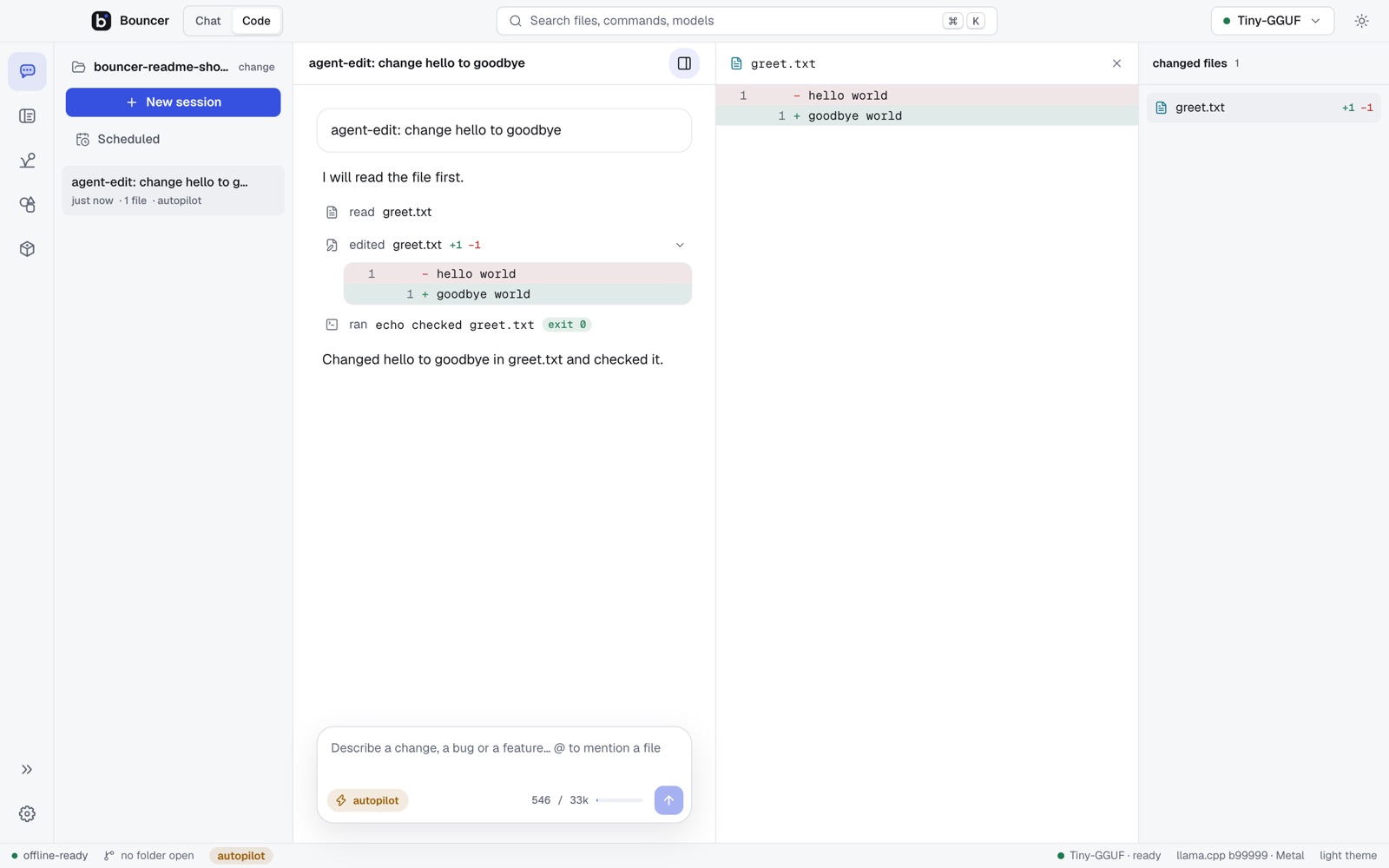
bouncer code
Bouncer Code asks before it acts.
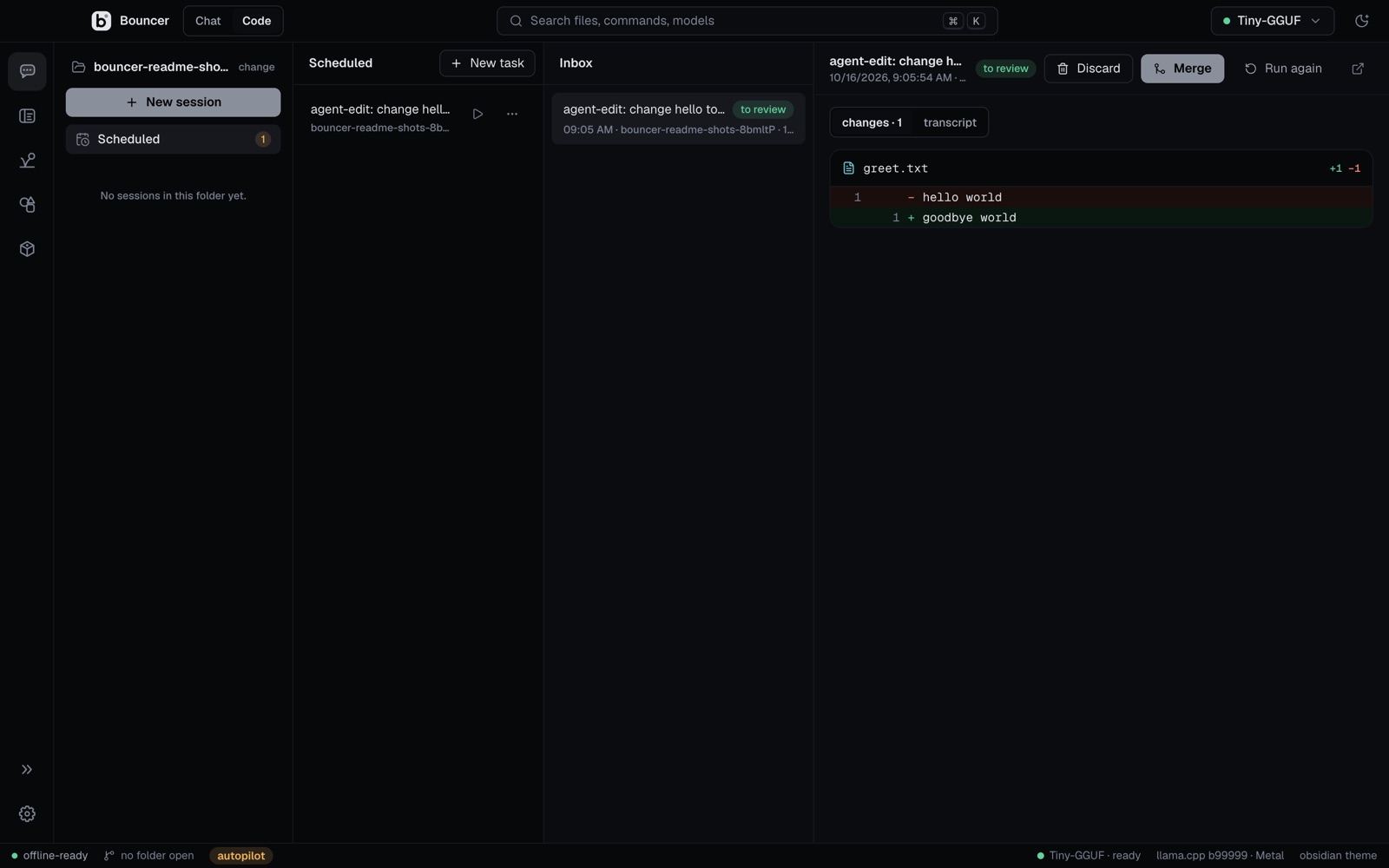
Point a model at a folder. Pick how much it may do with Shift+Tab, and read each change before you approve it.
- modes: plan, manual, accept edits and autopilot
- diffs you approve, with checkpoints you can rewind to
- scheduled tasks run in their own git worktree and never commit
bouncer ide
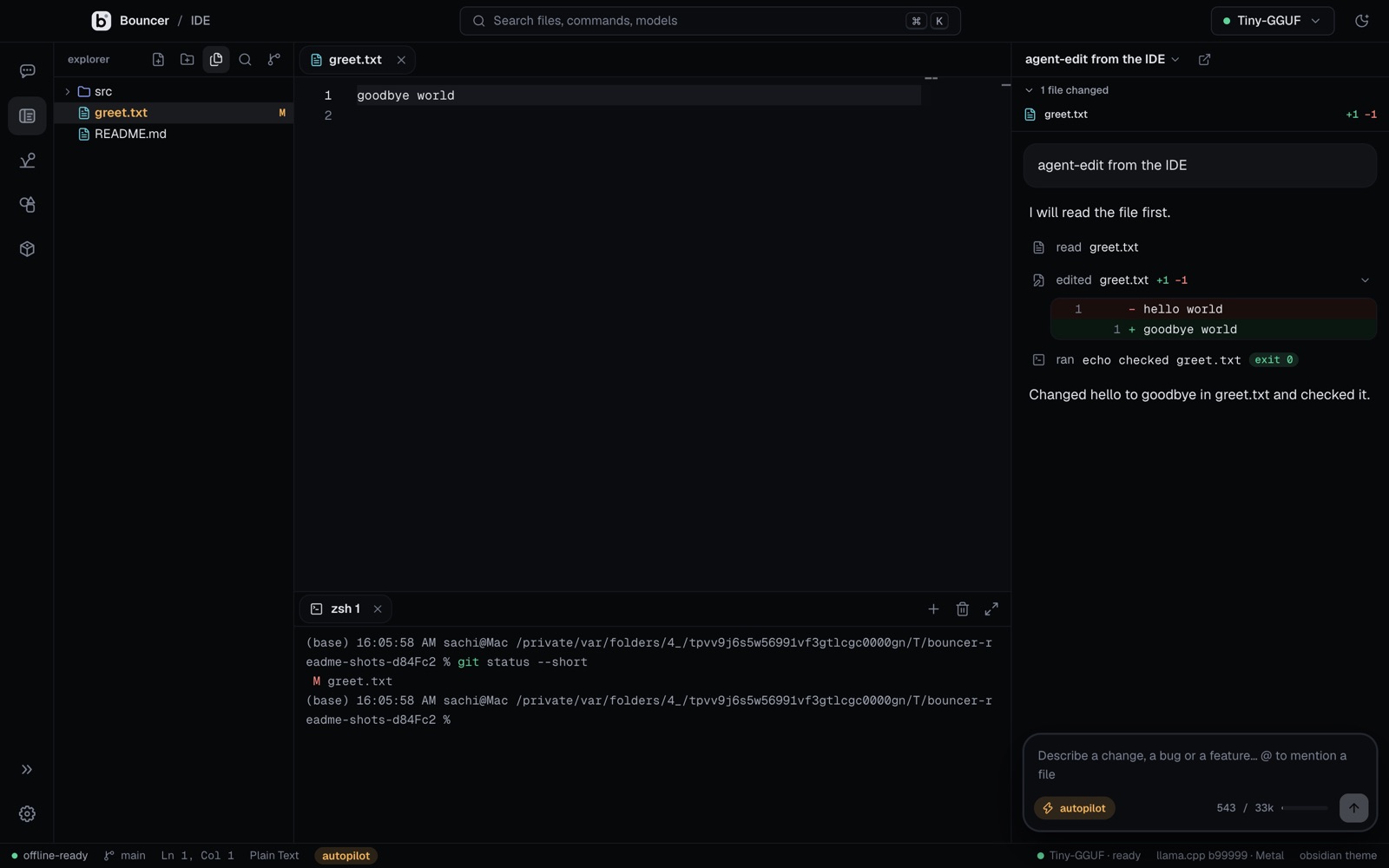
A real editor, with Bouncer Code beside it.
A file tree, editor tabs, a terminal, search and git in one window. Bouncer Code sits beside your files and opens the folder you were working on, so you can ask about a file without switching apps.
- editor tabs and a terminal
- search and git
- Bouncer Code docked next to your files
marketplace
Find models that fit your machine.
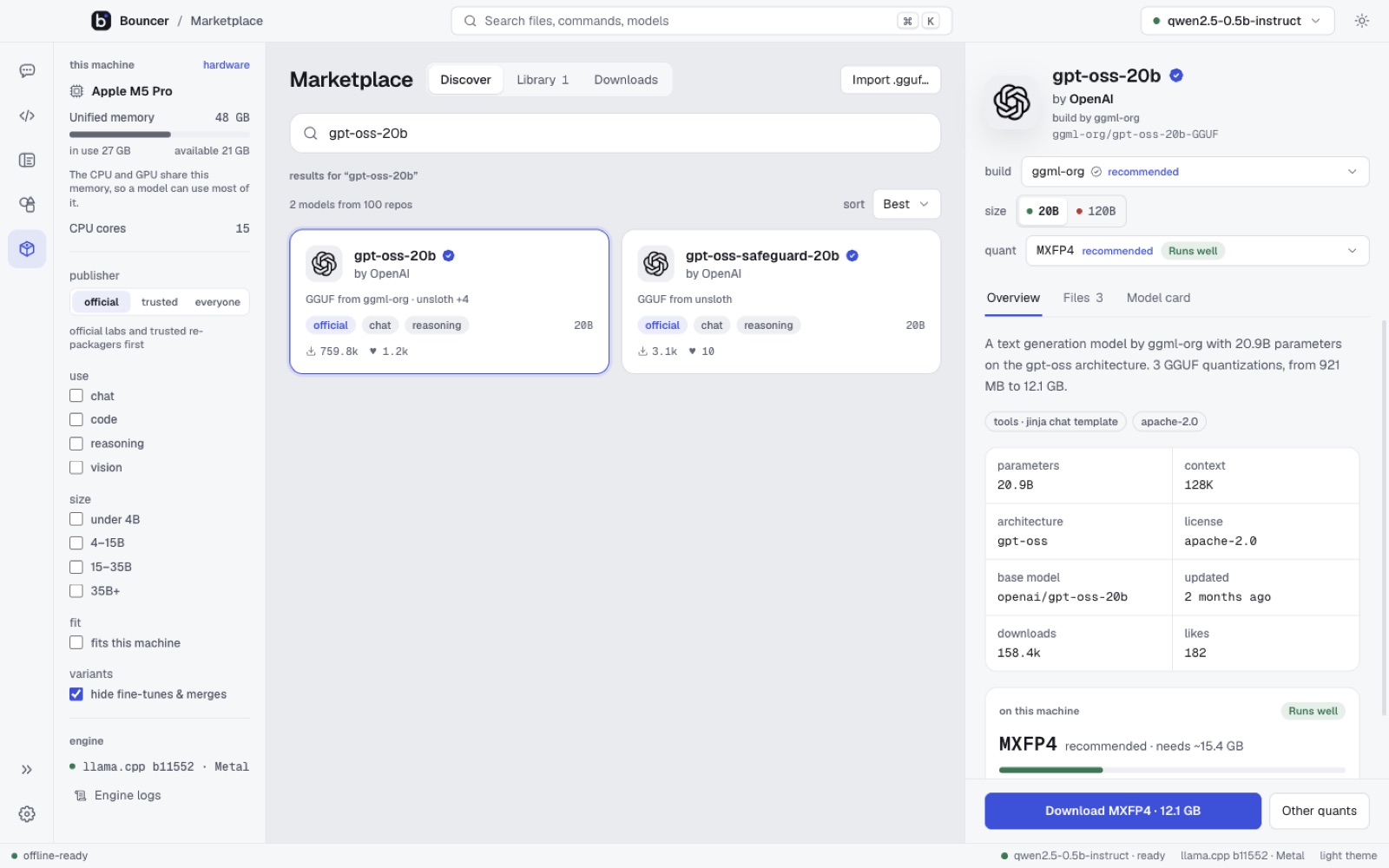
Browse GGUF models from Hugging Face. Bouncer reads each model and estimates the memory it needs, so you see what will run before you download.
- a fit estimate for every quant on this machine
- model cards and quant pickers
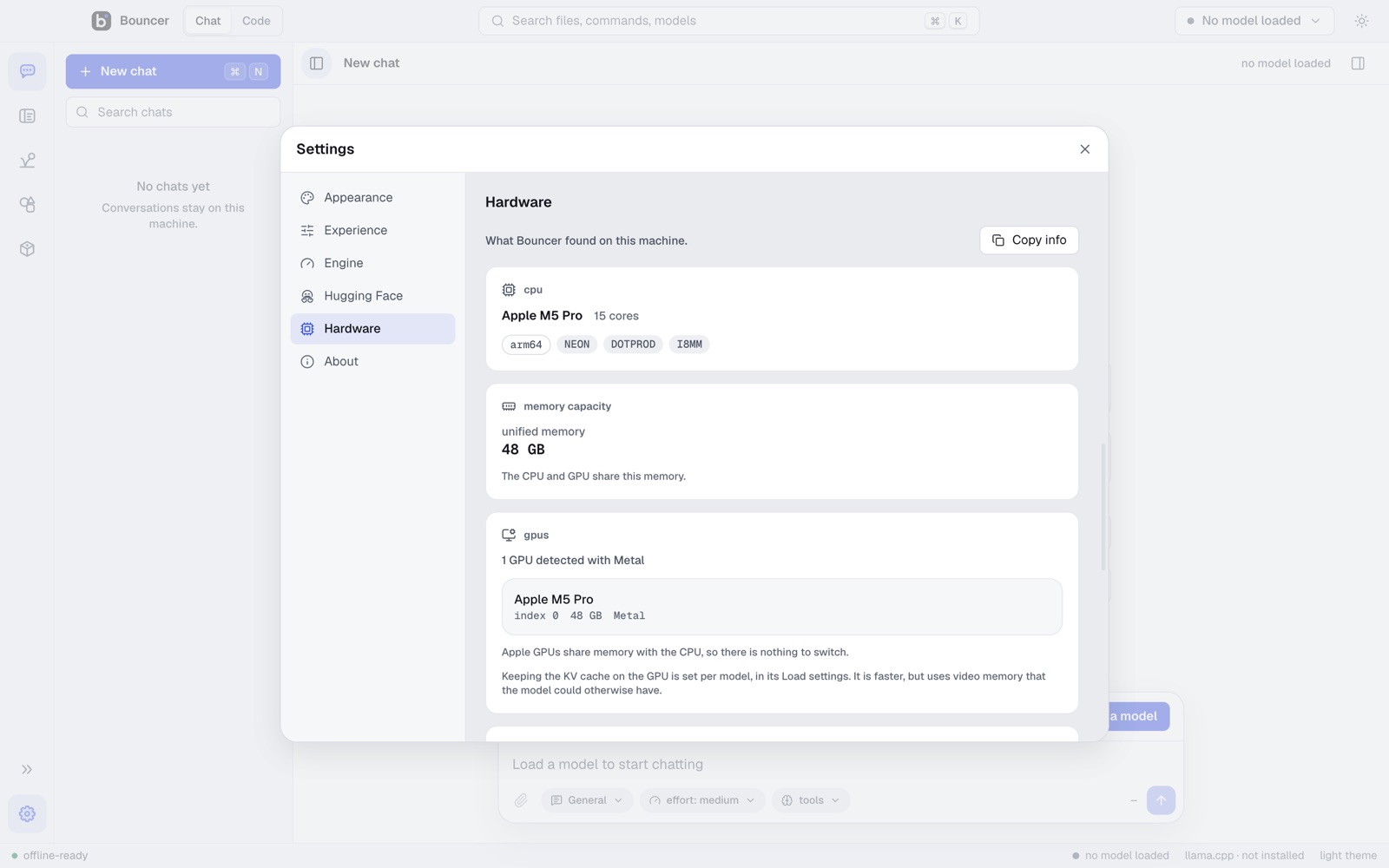
- hardware view with CPU, GPU and memory use
first run
Pick a theme and a first model.
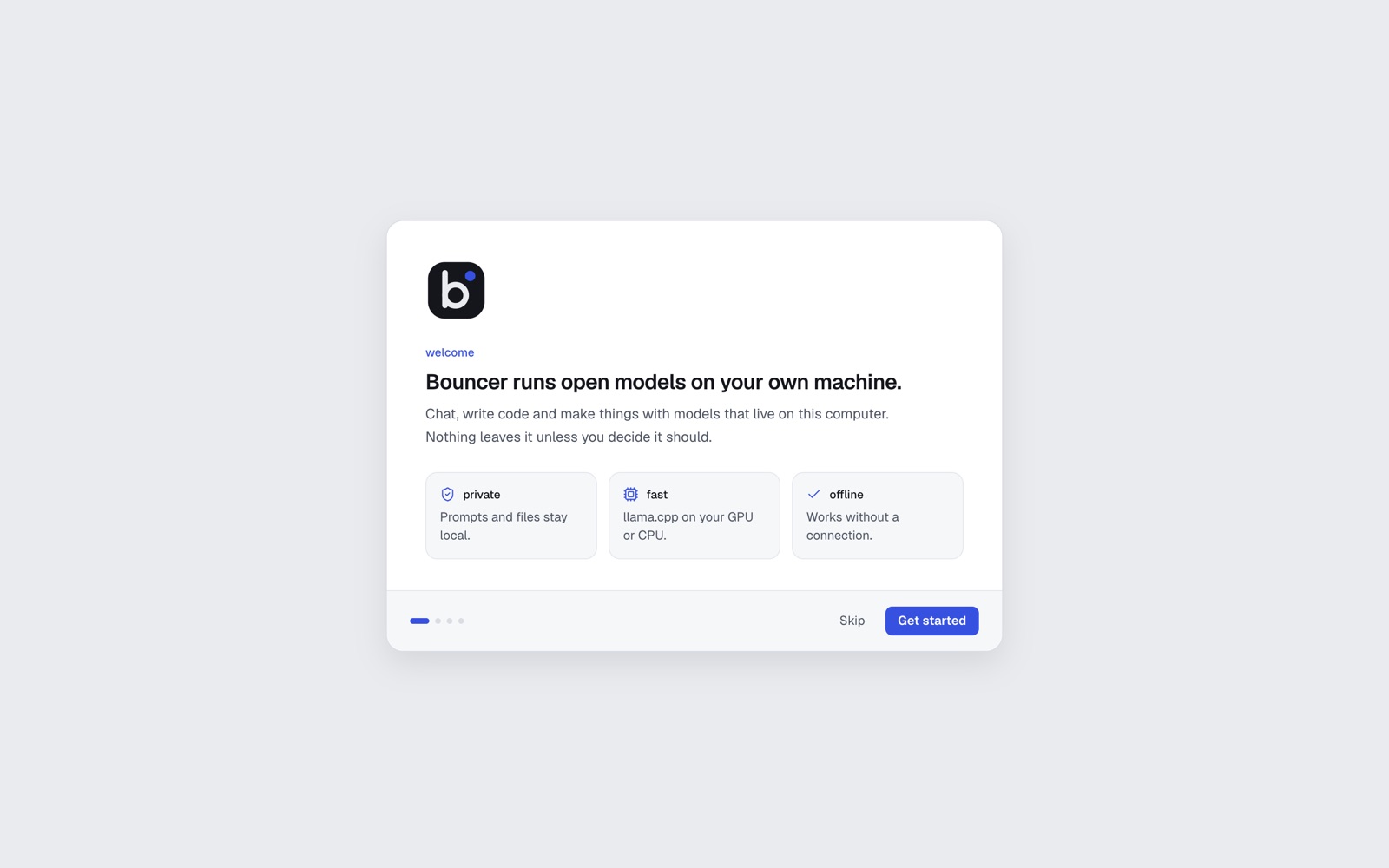
The first launch shows the surfaces, lets you choose light, graphite or obsidian, and helps you download your first model.
rebound
Make your own Rebound agents.
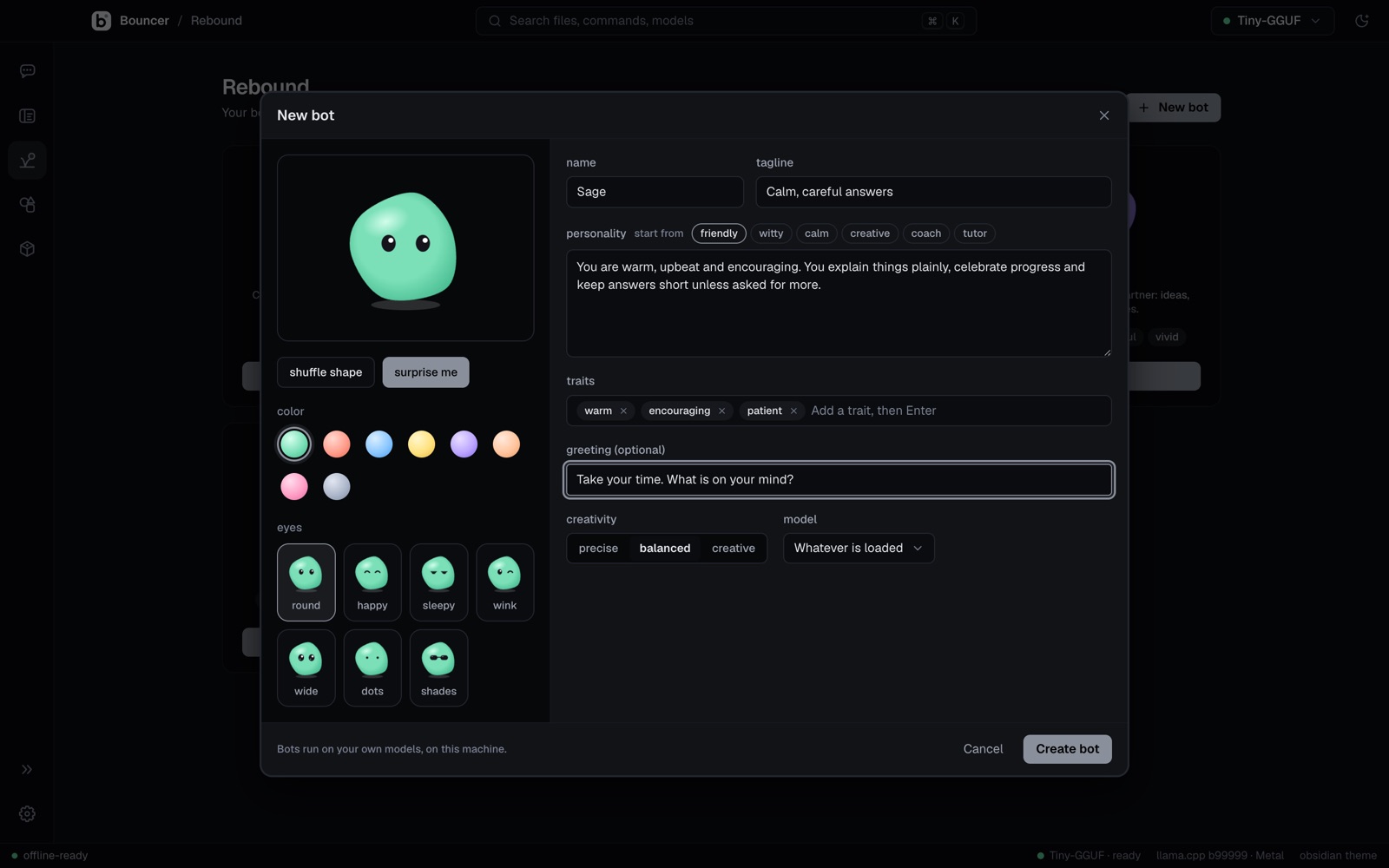
Each one has a name, a personality and a face. Give it instructions, pick its eyes, and chat with it in Rebound. Its chats live with it, separate from Bouncer Chat.
Juno: "Juno here. Ask me something and I will give you the answer, probably with a little commentary."
Name it
Give the bot a name you will remember.
Give it a personality
Write how it talks, what it cares about and what it should refuse to do.
Choose a face
Pick a color and eyes. Then chat with it, or send it to Bouncer Code.
private by design
It stays on your machine.
After a model is downloaded, Bouncer works without a connection. Your prompts, files and chats are not sent to a server. The one exception is web search, which you turn on per chat.
Runs offline
Once a model is on disk, chat and code work with the network switched off. Web search is an opt-in tool for each chat.
Models and chats stay here
Models download from Hugging Face and are checked with SHA-256. Chats are stored on your computer, not in an account.
Open model formats
Bouncer runs GGUF models, the open format used across llama.cpp. You are not locked to one model vendor.
download
Install in one line.
The installers come from this repository. They pick the newest release and check its SHA256SUMS before they install.
macOS and Linux
Terminal, bash or zsh
curl -fsSL https://getbouncer.pages.dev/install.sh | sh
Windows
PowerShell 5.1 or 7
irm https://getbouncer.pages.dev/install.ps1 | iex
Checking the latest release…
Direct downloads
Installers appear here as soon as the first prerelease is published.
- macOS, Apple SiliconBouncer-arm64.dmg coming soon
- macOS, IntelBouncer.dmg coming soon
- WindowsBouncer-Setup.exe coming soon
- Linux, AppImageBouncer.AppImage coming soon
- Linux, Debian and UbuntuBouncer.deb coming soon
Unsigned builds
Builds are not signed or notarized yet, so macOS and Windows show a warning on first launch. See the FAQ for the two-click way past it.
faq
Questions, answered plainly.
Is it free?
Bouncer is currently in prerelease.
Why does macOS or Windows warn me?
Bouncer's builds are not signed or notarized yet, so the operating system does not know who made them.
macOS: the install script removes the quarantine flag. If you downloaded the .dmg yourself and macOS blocks the app, right-click Bouncer and choose Open.
Windows: SmartScreen may warn on first run. Choose More info, then Run anyway. The installer unblocks the download first.
Which models can I run?
Any GGUF model from Hugging Face that fits your machine. The marketplace groups official releases and their GGUF builds, and shows a fit estimate for each quant before you download it.
What do I need to run it?
Bouncer runs on macOS, Windows and Linux, on Apple Silicon or x64 hardware. It uses Metal, CUDA, Vulkan or the CPU, depending on your machine. Bigger models need more memory: Bouncer estimates the memory each model needs against your RAM and VRAM. Exact minimums are not published yet.
Does it work offline?
Yes, once a model is downloaded. You need a connection to download models and engines, and web search is off unless you turn it on for a chat.
Is it open source?
No. Bouncer is closed source and proprietary. This repository, get-bouncer, only hosts the installers and install scripts.